How to Trade Multiple Demat Accounts From One Screen

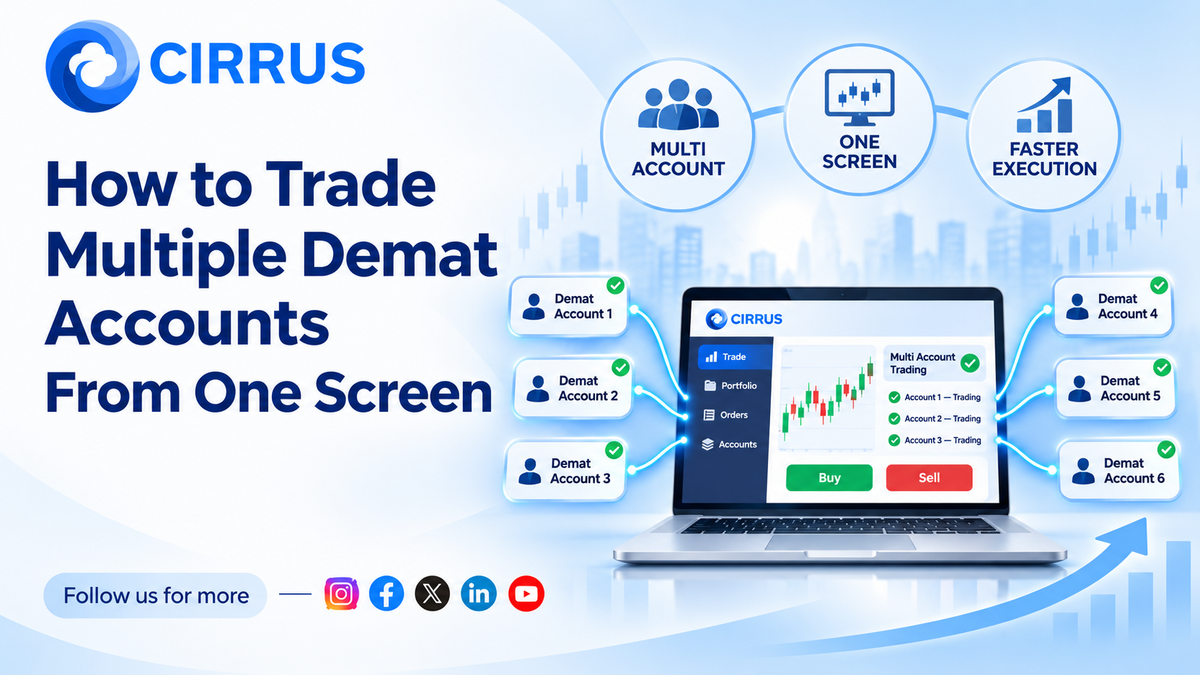
Many Indian traders run more than one demat account: their own, a spouse’s, parents’ and an HUF’s, often at different brokers. Checking and trading each in its own app is slow. Here is how one screen replaces them.
Step 1: Connect each account once
Link every account from any of the 15+supported brokers through its official login. Each account gets its own static IP, which you whitelist once at the broker, as SEBI’s API rules require.
Step 2: Save your groups
Name a group such as “Family” or “F&O”, add the accounts, and pick the group on the ticket instead of ticking boxes every time.
Step 3: Place one order
Choose market, limit, SL or SL-M, intraday or carryforward, and lots or quantity. A margin preview shows what the order needs before you send it. Keyboard shortcuts help on busy days: Ctrl or ⌘ + Enter to place, B and S to switch side.
Step 4: Read the result for every account
Each account’s order is separate at its own broker. You see which filled, which are open and which the broker rejected, with the reason. A rejection in one account for margin does not cancel the others.
See everything in one place
The unified dashboard shows orders, positions, holdings and funds from every broker on one screen. Cirrus also offers an option chain with OI, PCR and max pain, plus market movers.
Keep each account right-sized
Give each account a multiplier so a smaller account never copies a larger one lot for lot. Add a stop-loss and target once and they attach in every account. Baskets are the exception for sizing: they send the quantity you enter to every selected account.
Share read-only access
If you work with a research analyst, the data sharing feature lets you give them read-only access to the accounts and data you choose.
What it costs
₹499 per account a month, plus ₹0 for the static IP on IPv6 brokers or ₹350 on IPv4 brokers. Pocketful accounts are free.
At a glance
- Connect each account once; each gets its own static IP.
- Save groups and place one order to all of them.
- A margin preview comes before sending; a result comes back for every account.
- One dashboard shows orders, positions, holdings and funds across brokers.
- ₹499 per account a month, plus the static IP on IPv4 brokers.
FAQ
Do the accounts need to be at the same broker?
No. Zerodha, Upstox, Groww and Fyers accounts can take the same order side by side.
Can accounts trade different sizes?
Yes, through the smart multiplier on the ticket or in a signal strategy.
What if one account lacks margin?
That account’s order is rejected and the others continue. The result shows the broker’s reason.
Disclaimer: Investments in securities markets are subject to market risks. Read all related documents carefully before investing. This article is for general information only and is not investment advice. Market timings may change, so please check the latest exchange circulars. Cirrus does not guarantee any outcome from automated execution.