Your Alert Has a Job Now: From a Chartlink Scan to a Live Order

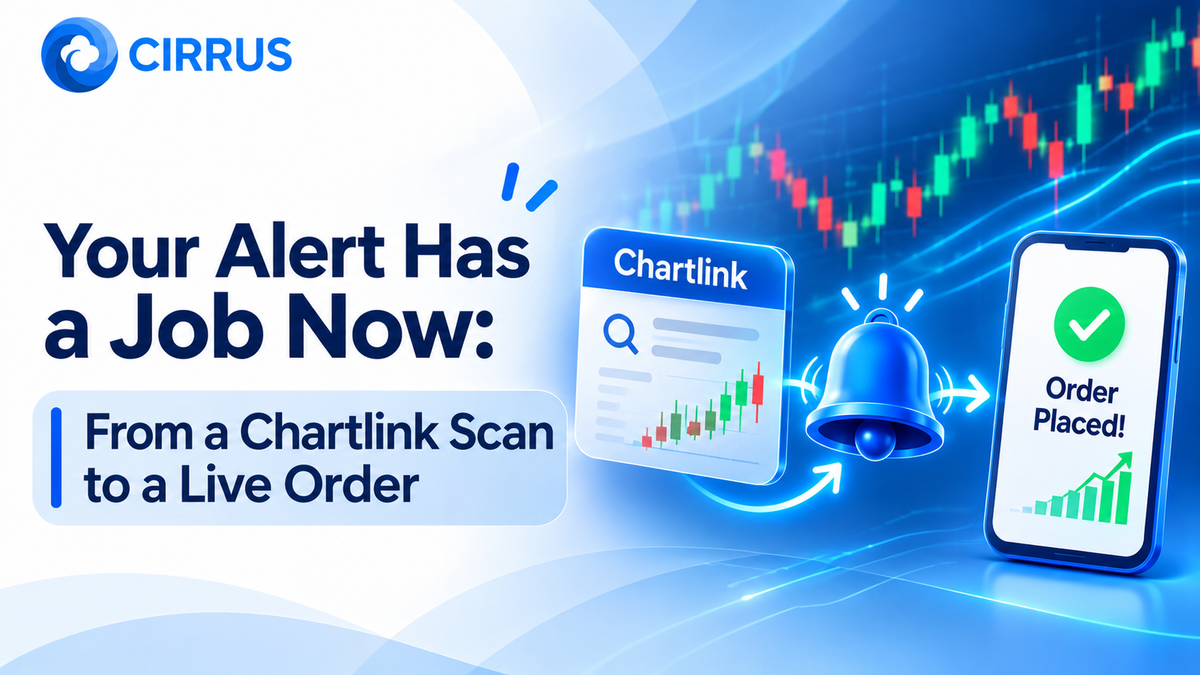
Your Chartlink scan fires. A stock matches your conditions, an alert pops up, and then you are on your own. You open the broker app, find the stock, enter a quantity, and hope the price has not moved. If you manage several accounts, you repeat all of that again and again.
An alert does not have to end as a notification. It can start a clear, controlled chain that ends in a live order.
The Journey From Scan to Order
- Scan: Your conditions find a matching stock.
- Alert: Chartlink sends an alert with the symbol and trigger details.
- Webhook: The alert reaches your execution tool as a message.
- Rules check: The tool applies your quantity, order type, and limits.
- Order: The order goes to your broker through its API.
- Confirmation: You review the fill and any rejection.
Where It Usually Breaks
- Static IP issues: Brokers now expect API orders from a whitelisted static IP address, and orders from other addresses are rejected.
- Expired sessions: API sessions are logged out every day, so a connection that worked yesterday needs fresh authentication today.
- Duplicate alerts: The same scan can fire repeatedly, which can place the same order twice.
- No limits: Without a quantity cap or daily loss limit, one bad alert can become a large position.
- Symbol mismatches: A name that differs between the scanner and the broker can cause a rejection.
A Safe Setup Checklist
- Test the scan first. Watch its alerts for a few sessions before connecting any order.
- Start with the smallest quantity. Confirm fills before you scale up.
- Cap your risk. Set a maximum quantity and a daily loss limit.
- Handle duplicates. Decide how repeated alerts should be treated.
- Log in early. Re-authenticate broker connections before the session.
- Review daily. Check every order, rejection, and fill.
Under SEBI's retail algo framework, automated orders carry an exchange Algo-ID and strategies below 10 orders per second do not need separate exchange registration. Static IP and daily login rules still apply. A scan result is a signal of your own design, not a research recommendation.
How Cirrus Fits Into This Flow
- Native Static IP Binding: Orders go through whitelisted static IP architecture on the cloud, so you do not run a server.
- Single Signal, Multi-Account Fills: One Chartink or TradingView webhook becomes parallel orders for each linked broker account.
- Smart Lot Multipliers: Set a ratio per account once, so quantities scale without manual maths.
[CONFIRM: confirm with the tech team how Cirrus handles duplicate alerts and per-alert quantity caps.]
Frequently Asked Questions (FAQs)
1. Can Chartink alerts place orders directly with my broker? Chartink sends alerts. An execution tool that is connected to your broker through authorised API access turns those alerts into orders.
2. Why was my alert-based order rejected? Common reasons are a missing static IP, an expired session, insufficient margin, or a symbol that does not match. Check the rejection message first.
3. Does automating a scan guarantee profit? No. Automation improves speed and consistency. It does not improve the scan or remove market risk.
4. Do I need coding skills or my own server? No. Cirrus is a cloud-based web terminal, and static IP routing, token handling, and broker connections run on secure cloud servers.
At a Glance: Key Takeaways
What It Means for Your Scans
A good scan deserves good execution. The goal is not to remove your judgement. It is to apply it once, in advance, and let the setup follow your rules.
The Bottom Line: Test the scan, start small, cap your risk, and let a compliant setup turn alerts into orders. Your alert finally has a job to do.
Want your alerts to reach every account together? Explore how Cirrus automates multi-broker execution across major Indian brokers with built-in static IP routing at cirrus.trade.
Key Facts at a Glance for Quick Reference
Disclaimer: This article is published by Kuberhunt for informational and educational purposes, drawing on third-party market analysis and publicly available brokerage, IMF, and Moody's research. Kuberhunt is a technology and research distribution platform connecting investors with SEBI-registered Research Analysts and Investment Advisors. Kuberhunt itself is not a Research Analyst or Investment Adviser and does not provide investment advice, create, or endorse any specific investment recommendation. This article does not constitute investment advice and should not be used as the basis for any trading decision. Cross-market return and earnings-growth figures are drawn from multiple secondary sources using different methodologies and time windows (calendar year vs. financial year, rupee vs. dollar terms); readers should treat comparisons as directional rather than precise and verify current figures independently before acting on them.
Educational content, not investment advice. Markets carry risk; read the disclosures on any Reco before you act on it.